Hostinger for Beginners: What You Need to Know Before Buying
Hostinger for Beginners: What You Need to Know Before Buying — discover pricing, features, pros and cons, performance, and whether it’s the right hosting choice for beginners.
Starting a website for the first time can feel a lot like walking into a massive electronics store without knowing what half the products do. You hear words like hosting, domains, servers, and bandwidth, and suddenly your excitement turns into confusion.
That’s exactly where many beginners find themselves—and that’s also why Hostinger gets so much attention. It positions itself as a beginner-friendly, affordable web hosting provider, promising simplicity without draining your wallet.
Web hosting, at its core, is simply the service that makes your website available on the internet. Without it, your website is just files sitting on your computer, invisible to everyone else.
The challenge is choosing a hosting provider that doesn’t overwhelm you while still offering decent performance and support. Hostinger claims to solve this problem, especially for beginners who want to get online fast without technical headaches.
But here’s the thing: cheap hosting can sometimes come with compromises. Slow speeds, poor support, or confusing limitations can turn your website dream into a frustrating experience.
So before clicking that “Buy Now” button, it’s important to understand exactly what Hostinger offers, how it works, and whether it truly fits your needs as a beginner. This guide walks you through everything—plain and simple—so you can make a confident decision instead of guessing your way through it.
What Is Hostinger and How It Works?
Hostinger is a web hosting company that started with a simple mission: make hosting affordable and accessible for everyone. Founded in 2004, it has grown into a globally recognized brand with millions of users across different countries.
Unlike some hosting companies that cater mainly to developers or large businesses, Hostinger focuses heavily on beginners, bloggers, students, and small business owners.
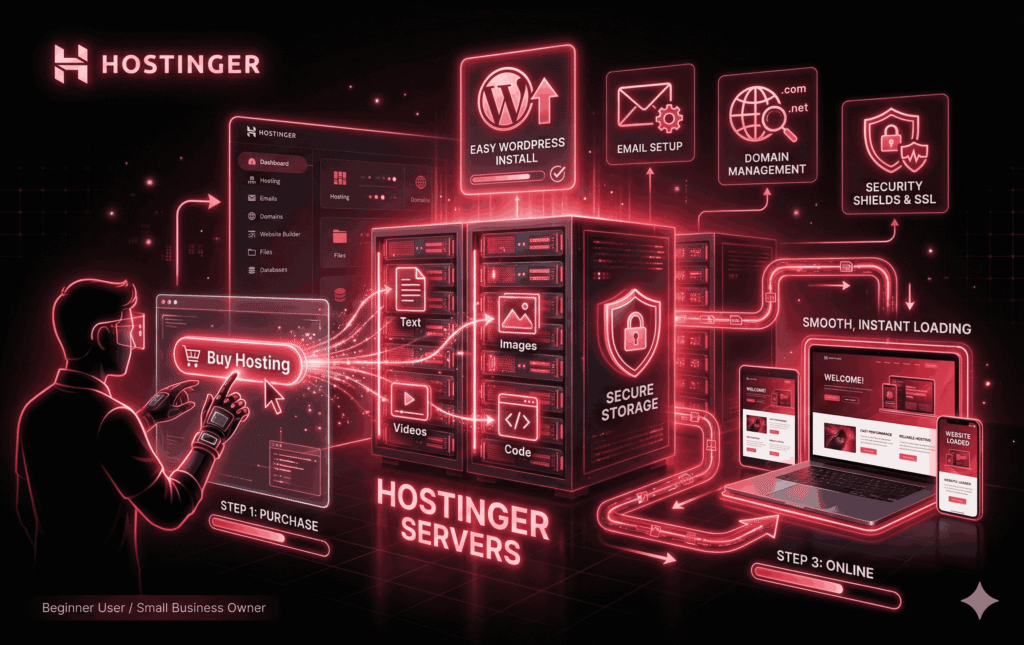
So how does it actually work? When you purchase a Hostinger plan, you’re essentially renting space on one of their servers. These servers store your website’s files—text, images, videos, and code—and deliver them to visitors whenever someone types your website address into their browser.
Hostinger manages the technical side of server maintenance, security updates, and uptime, so you don’t have to worry about those details.
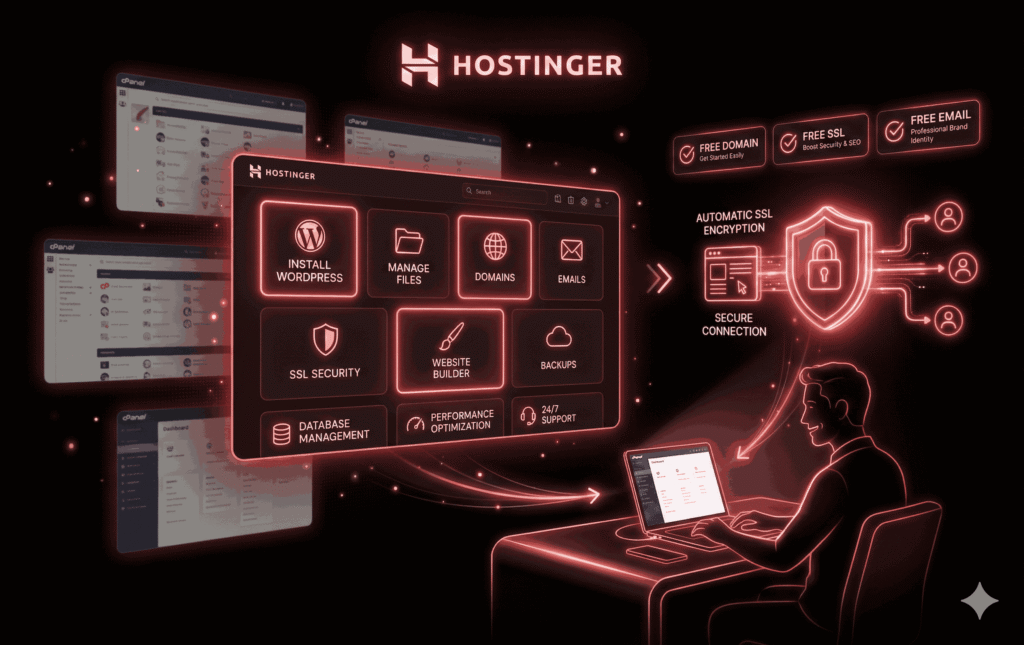
What makes Hostinger different is its custom-built control panel called hPanel. Instead of the traditional cPanel used by many hosts, hPanel is designed to be cleaner and more intuitive. For beginners, this matters a lot. You don’t need to be a tech expert to install WordPress, create an email address, or manage domains.
Everything is laid out in a way that feels more like using a modern app than managing a server. That ease of use is a big part of why beginners are drawn to Hostinger in the first place.
Why Hostinger Is Popular Among Beginners?
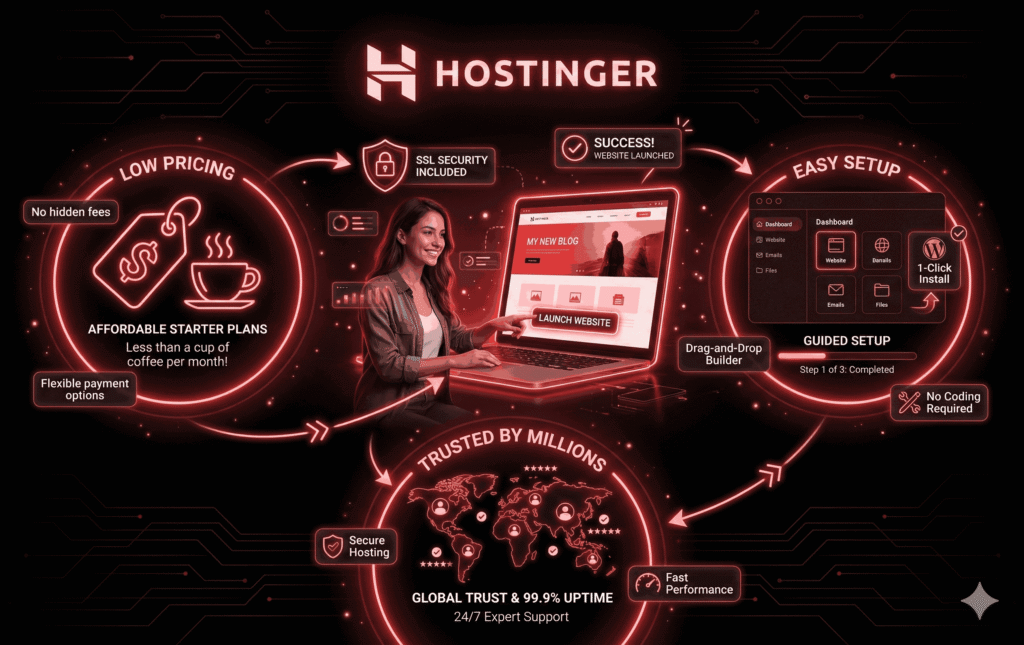
Hostinger didn’t become popular by accident. Its success comes from a combination of low prices, simple tools, and aggressive beginner-focused marketing. When someone searches for “cheap hosting” or “best hosting for beginners,” Hostinger almost always shows up. But popularity alone doesn’t tell the whole story.
One major reason beginners love Hostinger is the pricing. The entry-level plans are often cheaper than a cup of coffee per month if you commit to a longer term.
For someone starting their first blog or experimenting with an online idea, that low financial risk feels comforting. You’re not locking yourself into a huge expense before you even know if your website will work.
Another factor is the learning curve—or lack of one. Hostinger removes much of the technical intimidation that comes with hosting. One-click installers, guided setup processes, and a clean dashboard make it easier to get started.
Beginners don’t want to read long manuals or watch hours of tutorials just to launch a site. Hostinger understands that and simplifies the experience.
Finally, there’s trust. With millions of users worldwide and plenty of online reviews, beginners feel safer choosing a brand that others already use. Even if it’s not perfect, it feels like a “safe first step,” which is exactly what many beginners are looking for.
Hostinger Product Description (Quick Overview)
| Feature | Description |
|---|---|
| Hosting Provider | Hostinger |
| Best For | First-time website owners, beginners, bloggers, freelancers, and small businesses |
| Hosting Types | Shared Hosting, WordPress Hosting, Cloud Hosting, VPS Hosting |
| Starting Price | Budget-friendly introductory pricing (varies by region & offers) |
| Control Panel | Custom hPanel (Beginner-friendly & easy to navigate) |
| Website Builder | Built-in drag-and-drop Website Builder included |
| WordPress Support | 1-click WordPress install, auto updates, WP optimization |
| Performance | Fast loading speeds with SSD storage & built-in caching |
| Uptime Guarantee | 99.9% uptime commitment |
| Free Domain | Yes (on selected annual & multi-year plans) |
| Free SSL Certificate | Included on all major plans |
| Email Hosting | Free professional email accounts are available |
| Backups | Weekly or daily backups (depends on plan) |
| Security Features | SSL, malware protection, firewall, DDoS protection |
| Customer Support | 24/7 Live Chat Support |
| Data Centers | Multiple global locations (US, Europe, Asia) |
| Migration | Free website migration available |
| Money-Back Guarantee | 30-day refund policy |
| Affiliate Program | Up to ~40% commission per sale |
| Ease of Use Rating |  (5/5 – excellent for beginners) (5/5 – excellent for beginners) |
| Overall Rating | ☆ (4.5 / 5) |
Types of Hosting Plans Offered by Hostinger
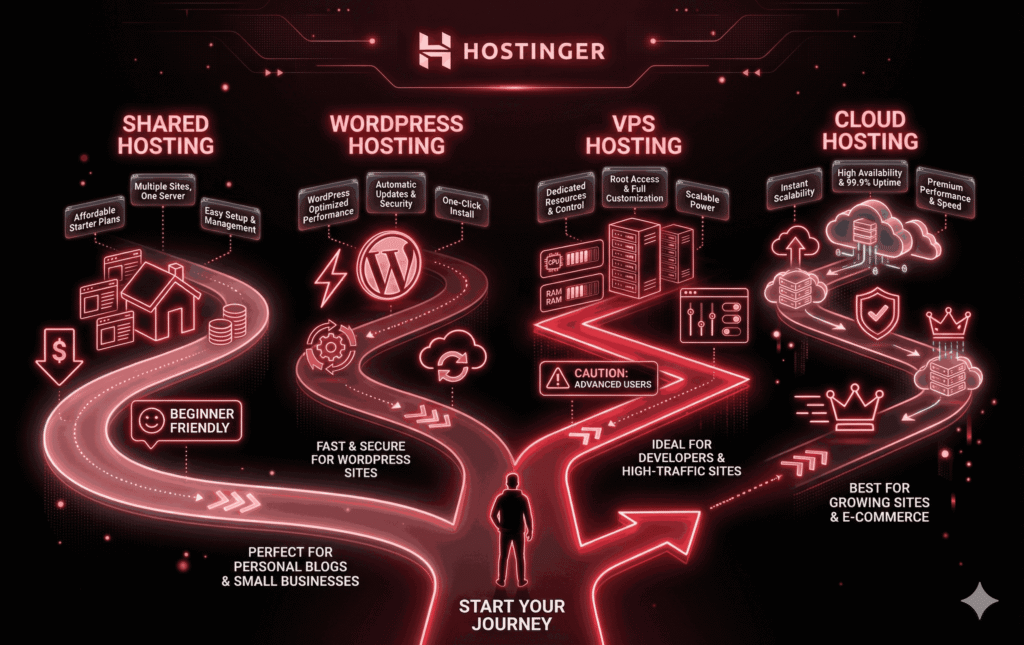
Hostinger offers several types of hosting, and this is where beginners often get confused. The good news is that you don’t need to understand everything at once. Think of these plans as different sizes of apartments—you choose based on how much space and power you need.
Shared Hosting is the most common option for beginners. Your website shares a server with other websites, which keeps costs low. This is ideal for blogs, portfolios, and small business sites with low to moderate traffic.
WordPress Hosting is essentially shared hosting that’s optimized specifically for WordPress websites. It includes features like automatic updates, caching, and WordPress-specific support. If you already know you’ll use WordPress, this option simplifies things even further.
VPS Hosting gives you more control and dedicated resources, but it requires technical knowledge. This isn’t recommended for beginners unless you’re willing to learn server management.
Cloud Hosting sits between shared and VPS hosting. It offers better performance and reliability but costs more. Beginners usually don’t need this right away, but it’s an option for future growth.
Understanding these categories helps you avoid overpaying for features you don’t need—or choosing something too weak for your goals.
Shared Hosting Explained for Absolute Beginners
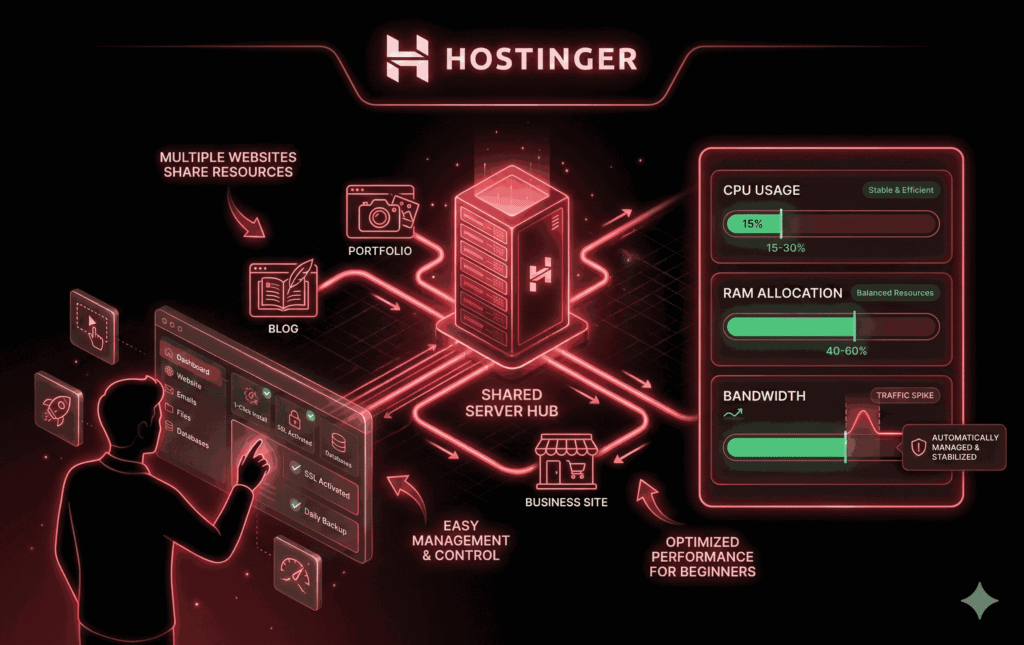
Shared hosting sounds scarier than it actually is. All it means is that multiple websites share the same server resources, like memory and processing power. It’s similar to living in an apartment building—you have your own space, but you share the building’s infrastructure with others.
For beginners, shared hosting is often the best choice. It’s affordable, easy to manage, and powerful enough for most starter websites. If you’re launching a personal blog, a small business site, or a portfolio, shared hosting can handle it without issues.
However, there are limitations. If another website on the same server suddenly gets a lot of traffic, it could affect performance. Hostinger mitigates this with resource limits and optimization, but it’s still something to keep in mind. The key takeaway? Shared hosting is perfect for learning and starting, but it’s not meant for massive, high-traffic sites.
Hostinger WordPress Hosting: Is It Beginner-Friendly?
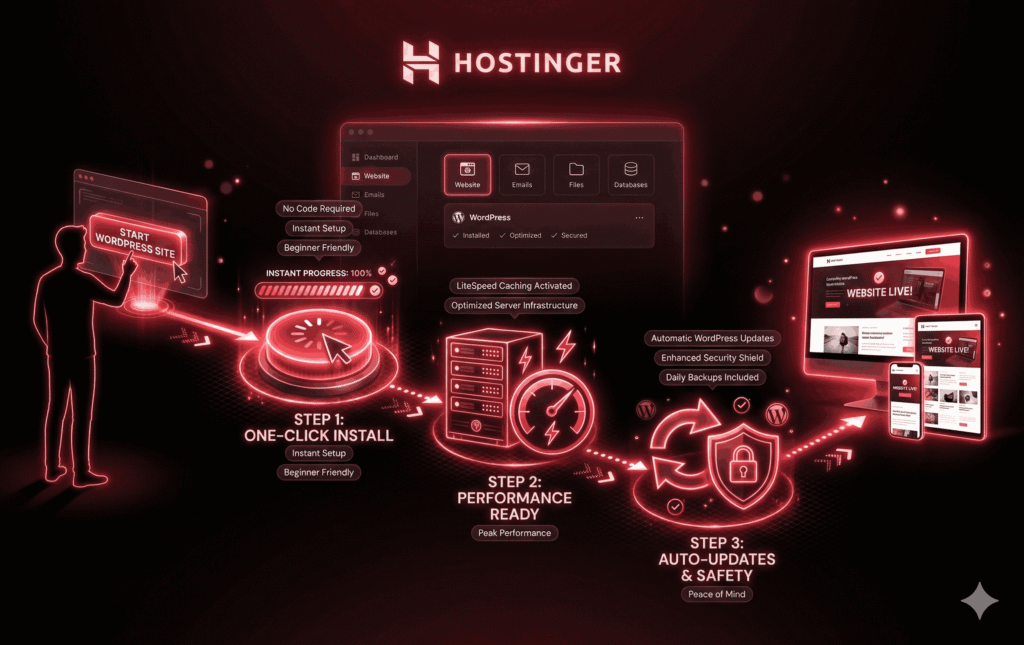
WordPress powers more than 40% of the internet, and Hostinger knows this. That’s why WordPress hosting is designed with beginners in mind. From the moment you sign up, Hostinger guides you through installing WordPress with just one click. No downloading files, no database setup—just answer a few questions and you’re live.
Performance-wise, Hostinger includes features like LiteSpeed caching and optimized servers, which help WordPress sites load faster. For beginners, this means better speed without needing to install or configure complex plugins.
Another big plus is automatic updates. WordPress updates can sometimes break sites if done incorrectly. Hostinger handles many of these updates for you, reducing the risk of mistakes. If your goal is to build a WordPress site with minimal technical stress, Hostinger’s WordPress hosting checks a lot of boxes.
Hostinger Pricing Breakdown (What You Actually Pay)
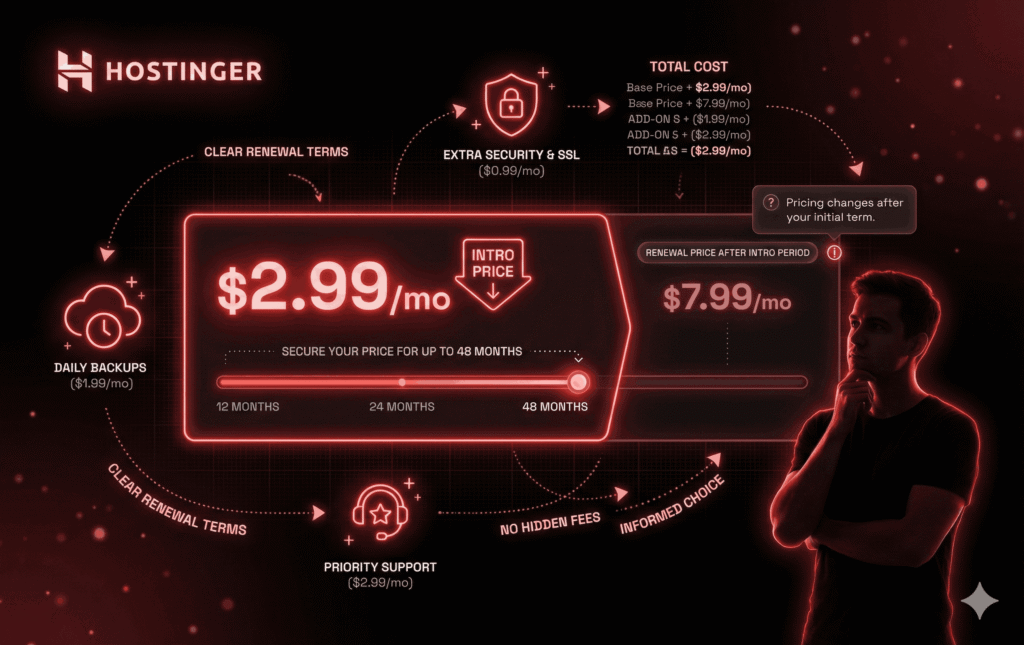
Hostinger’s pricing looks incredibly attractive at first glance—but there’s a catch every beginner should understand. The lowest prices are promotional and usually require a long-term commitment, often 12, 24, or 48 months. This isn’t necessarily bad, but it’s important to know what happens later.
When your initial term ends, the renewal price is higher. This surprises many beginners who didn’t read the fine print. While Hostinger is still affordable compared to many competitors, the jump can feel sudden if you’re not prepared.
There are also optional add-ons like daily backups or priority support that increase the total cost. The key is transparency: Hostinger isn’t hiding these costs, but beginners often overlook them in their excitement to get started. Knowing the real price upfront helps you avoid frustration later.
Performance and Speed: What Beginners Should Expect
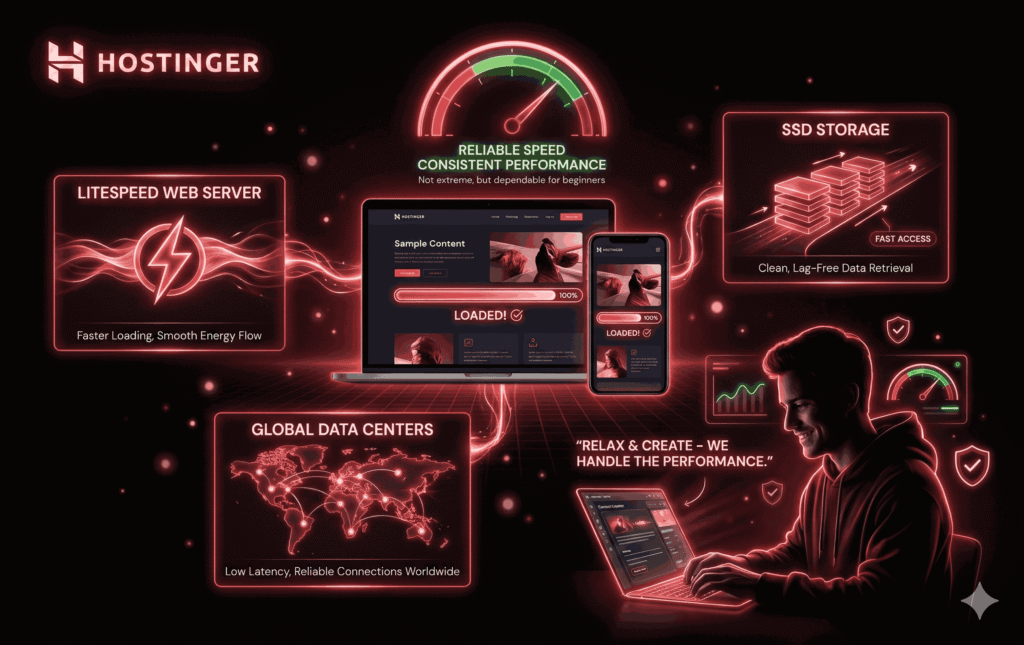
Website speed matters more than most beginners realize. A slow site can drive visitors away and hurt search engine rankings. The good news is that Hostinger generally performs well for beginner-level websites.
Hostinger uses LiteSpeed web servers, SSD storage, and multiple global data centers. For a small blog or business site, this translates into fast loading times and stable performance. You won’t break speed records, but you’ll get reliable results.
For beginners, the real benefit is consistency. You don’t want to troubleshoot performance issues when you’re still learning how to add pages or write content. Hostinger takes care of the technical optimization so you can focus on building your site.
Ease of Use: hPanel vs cPanel
Many hosting companies use cPanel, which can feel outdated and cluttered. Hostinger’s hPanel is different—it’s modern, clean, and built for simplicity. Everything from installing apps to managing files is clearly labeled.
For beginners, this is a big win. You’re not digging through endless menus trying to find one setting. hPanel feels more like using a website builder than a server dashboard. While advanced users might miss some cPanel features, beginners benefit from the streamlined experience.
Free Features Included with Hostinger
Hostinger includes several free features that beginners would otherwise have to pay for elsewhere. These include a free domain (with certain plans), free SSL certificates for security, and basic email hosting.
The free SSL is especially important. It encrypts data between your site and visitors, builds trust, and is essential for SEO. Hostinger includes this automatically, so beginners don’t have to worry about technical setup.
Security Features: Is Hostinger Safe for Beginners?
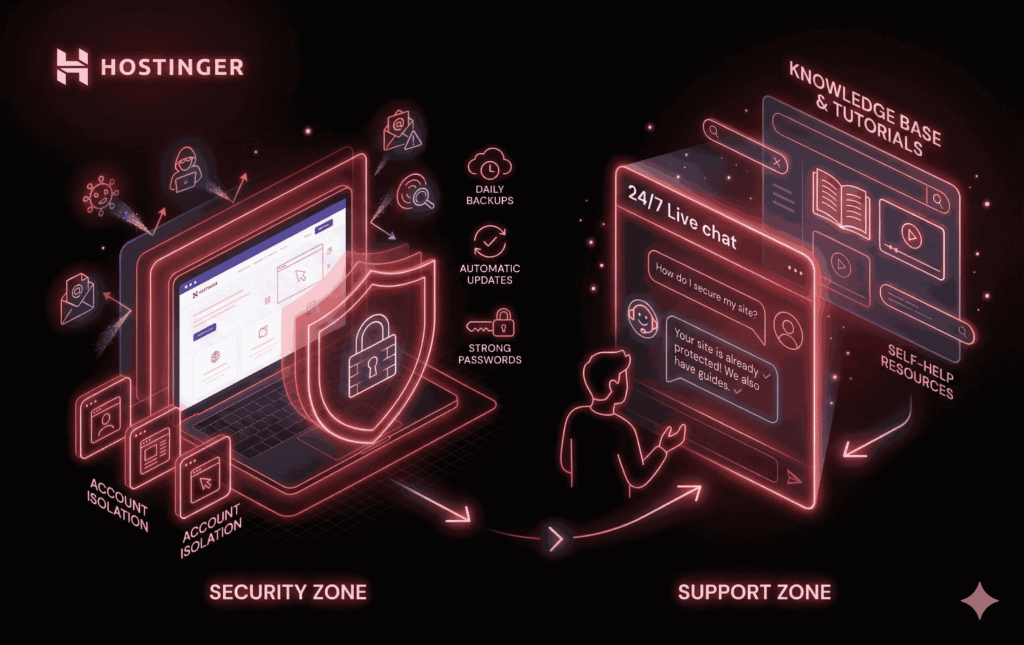
Security can sound intimidating, but Hostinger handles most of it behind the scenes. Features like firewalls, malware scanning, and account isolation help protect your site.
That said, beginners still need to take basic precautions. Strong passwords, regular backups, and updates are essential. Hostinger provides the tools, but you still play a role in keeping your site safe.
Customer Support Experience for New Users
Hostinger offers 24/7 live chat support, which is crucial for beginners. There’s no phone support, but the chat system is responsive and helpful. The support team is generally patient and willing to explain things in simple terms.
Additionally, Hostinger has a large knowledge base with tutorials and guides. If you like solving problems on your own, these resources can be incredibly helpful.
Pros and Cons of Hostinger for Beginners
Pros:
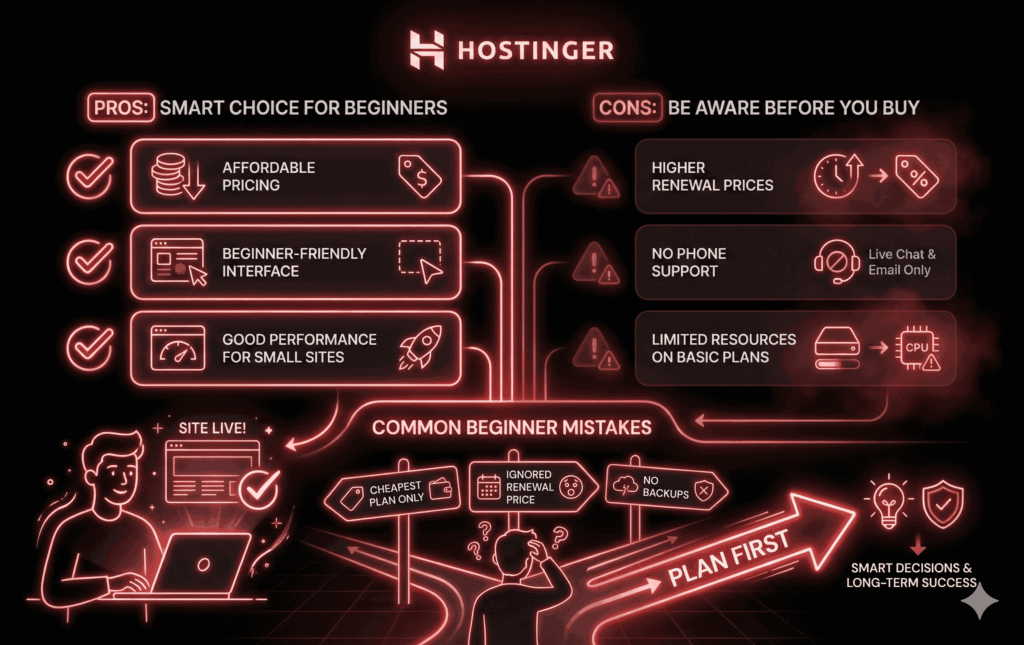
Affordable entry-level pricing.
Beginner-friendly interface.
Good performance for small sites.
Cons:
Higher renewal prices.
No phone support.
Limited resources on basic plans.
Understanding these trade-offs helps you decide if Hostinger aligns with your goals.
Common Mistakes Beginners Make When Buying Hostinger
Many beginners choose the cheapest plan without considering future growth. Others ignore renewal pricing or skip backups. The biggest mistake? Not understanding their own needs.
Taking a few minutes to plan your website’s purpose can save you money and frustration down the road.
Who Should Buy Hostinger (And Who Shouldn’t)
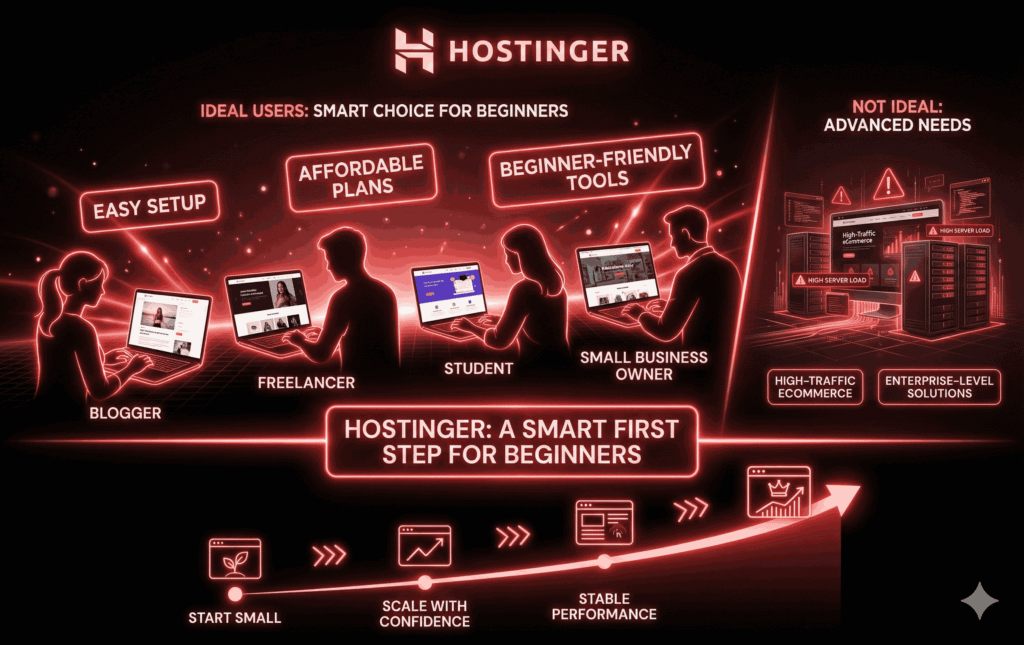
Hostinger is ideal for bloggers, freelancers, students, and small businesses. If you’re running a large eCommerce store or high-traffic platform, you may need something more powerful.
Final Verdict: Is Hostinger Worth It for Beginners?
For beginners, Hostinger offers an excellent balance of affordability, simplicity, and performance. It’s not perfect, but it’s one of the easiest ways to get online without technical stress.
Conclusion:
Choosing a hosting provider is one of the first—and most important—steps in building a website. Hostinger stands out as a beginner-friendly option that removes many of the usual barriers.
If you understand the pricing, choose the right plan, and grow gradually, Hostinger can be a solid foundation for your online journey.
Frequently Asked Questions (FAQs)
1. Is Hostinger good for beginners with no technical skills?
Yes, it’s designed specifically for beginners.
2. Can I upgrade my Hostinger plan later?
Yes, upgrades are simple and flexible.
3. Does Hostinger offer refunds?
Yes, there’s a 30-day money-back guarantee.
4. Is Hostinger good for long-term websites?
Yes, as long as you upgrade when needed.
5. Can beginners build a website without hiring a developer?
Absolutely, especially with WordPress and Hostinger tools.